Gitlab Package and Release
GitLab Packages allows organizations to utilize GitLab as a private repository for a variety of common package managers. Users are able to build and publish packages, which can be easily consumed as a dependency in downstream projects.

GitLab's Package Stage
GitLab enables teams to package their applications and dependencies, manage containers, and build artifacts with ease. The private, secure container registry and artifact repositories are built-in and preconfigured out-of-the box to work seamlessly with GitLab source code management and CI/CD pipelines. Ensure DevOps acceleration with automated software pipelines that flow freely without interruption.
Enhanced Package Management
Using GitLab's package system allows users to quickly search and utilize build artifacts which enhances reuse throughout the organization. This makes it easier for all teams to collaborate and share best practices to minimize time to market and boost overall efficiency.
What are Package and Container Registries?
GitLab enables teams to package their applications and dependencies, manage containers, and build artifacts with ease. The private, secure container registry and artifact repositories are built-in and preconfigured out-of-the box to work seamlessly with GitLab source code management and CI/CD pipelines. The ultimate goal is to ensure DevSecOps acceleration with automated software pipelines that flow freely without interruption.
| Feature | Package Registry | Container Registry |
|---|---|---|
| What is it? | The GitLab Package Registry acts as a private or public registry for a variety of common package managers. Users can build and publish packages, which can be easily consumed as dependencies in downstream projects. | The GitLab Container Registry is a secure and private registry for container images. Built on open-source software, it is fully integrated within GitLab. Use GitLab CI/CD to create and publish images, and the GitLab API to manage the registry across groups and projects. |
| How is it useful? | Every team needs a place to store their packages and dependencies. With the GitLab Package Registry, you can use GitLab as a private or public registry for a variety of supported package managers. You can publish and share packages, which can be consumed as a dependency in downstream projects. | You can use the integrated Container Registry to store container images for each GitLab project. Creating, pushing, and retrieving images works out of the box with GitLab CI/CD. |
Additional Package and Registry features
| Feature | Terraform Module Registry | Dependency Proxy |
|---|---|---|
| What is it? | The GitLab Terraform Module Registry is a secure and private registry for Terraform modules. You can use GitLab CI/CD to create and publish modules. | The Dependency Proxy is a local proxy for frequently-used upstream images and packages. |
| How is it useful? | With the Terraform Module Registry, you can use GitLab projects as a private registry for Terraform modules. You can create and publish modules with GitLab CI/CD, which can then be consumed from other private projects. | The Dependency Proxy caches both the manifest and blobs for a given image, so when you request it again, Docker Hub does not have to be contacted. |
Releases with GitLab
In GitLab, a release enables you to create a snapshot of your project for your users, including installation packages and release notes. You can create a GitLab release on any branch. Creating a release also creates a Git tag to mark the release point in the source code.
Additional Release Features
Deployment is the step of the software delivery process when your application gets deployed to its final, target infrastructure. You can deploy your application internally or to the public. You can also preview a release in a Review App, and use feature flags to release features incrementally.
Take a look at the some of the features that GitLab offers to streamline the release and deployment process below:
Review Apps
GitLab's Review Apps include:
- Automatic Live Preview
- Code, commit, and preview your branch in a live environment. Review Apps automatically spin up dynamic environments for your merge requests.
- One-click to Collaborate
- Designers and product managers won't need to check out your branch and run it in a staging environment. Simply send the team a link and let them click around.
- Fully-Integrated
- With GitLab's code review, built-in CI/CD, and Review Apps, you can speed up your development process with one tool for coding, testing, and previewing your changes.
- Deployment Flexibility
- Deploy to Kubernetes, Heroku, FTP, and more. You can deploy anywhere that you can script with .gitlab-ci.yml and you have full control to deploy as many different kinds of review apps as your team needs.
Expand Feature Flags
With feature flags, you can deploy your application’s new features to production in smaller batches. You can toggle a feature on and off to subsets of users, helping you achieve Continuous Delivery. Feature flags help reduce risk, allowing you to do controlled testing, and separate feature delivery from customer launch.
- For an example of feature flags in action, see Feature Flags configuration, instrumentation and use.
- You can also explore feature flags with a click-through demo.
Expand GitLab Pages
GitLab Pages is a feature that allows you to publish static websites directly from a repository in GitLab.
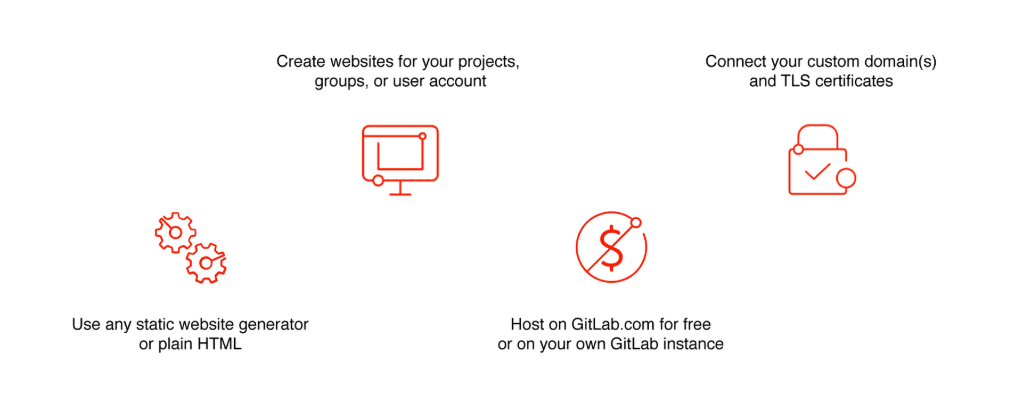
You can use it either for personal or business websites, such as portfolios, documentation, manifestos, and business presentations. You can also attribute any license to your content. Pages does not support dynamic server-side processing, for instance, as .php and .asp requires. See this article to learn more about static websites vs dynamic websites.
Expand Release Evidence
Each time a release is created, GitLab takes a snapshot of data that’s related to it. This data is saved in a JSON file and called release evidence. The feature includes test artifacts and linked milestones to facilitate internal processes, like external audits.
To access the release evidence, on the Releases page, select the link to the JSON file that’s listed under the Evidence collection heading.
You can also use the API to generate release evidence for an existing release. Because of this, each release can have multiple release evidence snapshots. You can view the release evidence and its details on the Releases page.
GitLab and AutoDevOps
Auto DevOps gives you a pre-defined CI/CD configuration which lets you automatically detect, build, test, deploy, and monitor your applications. This makes it easier to set up every project more consistently.
It is enabled by default for all of your projects but can be disabled by your administrator at the instance level. It can be disabled and enabled by GitLab.com users at the project level, and self-managed users can also enable it at the group or instance level.